

Before you start
Create a Gerrit service account that can read the repositories you want to index. If Context7 will submit generated documentation for review, the account also needs permission to push torefs/for/*.
Choose one authentication method:
- HTTPS with the service account username and a Gerrit HTTP password
- SSH with a private key registered to the service account
Connect Gerrit
1
Configure repository access
Open Settings > Integrations > Other Git and enter the Gerrit hostname without a URL scheme, for example
gerrit.example.com. Context7 uses this value to match repository URLs to the credentials and review settings.Choose HTTPS or SSH. For HTTPS, enter the service account username and HTTP password. For SSH, enter the private key and, if available, the Gerrit known_hosts entry.2
Configure review publishing
In the Review publishing section, set Review push ref to:Set Commit email to an email address registered to the Gerrit service account. Context7 adds a valid 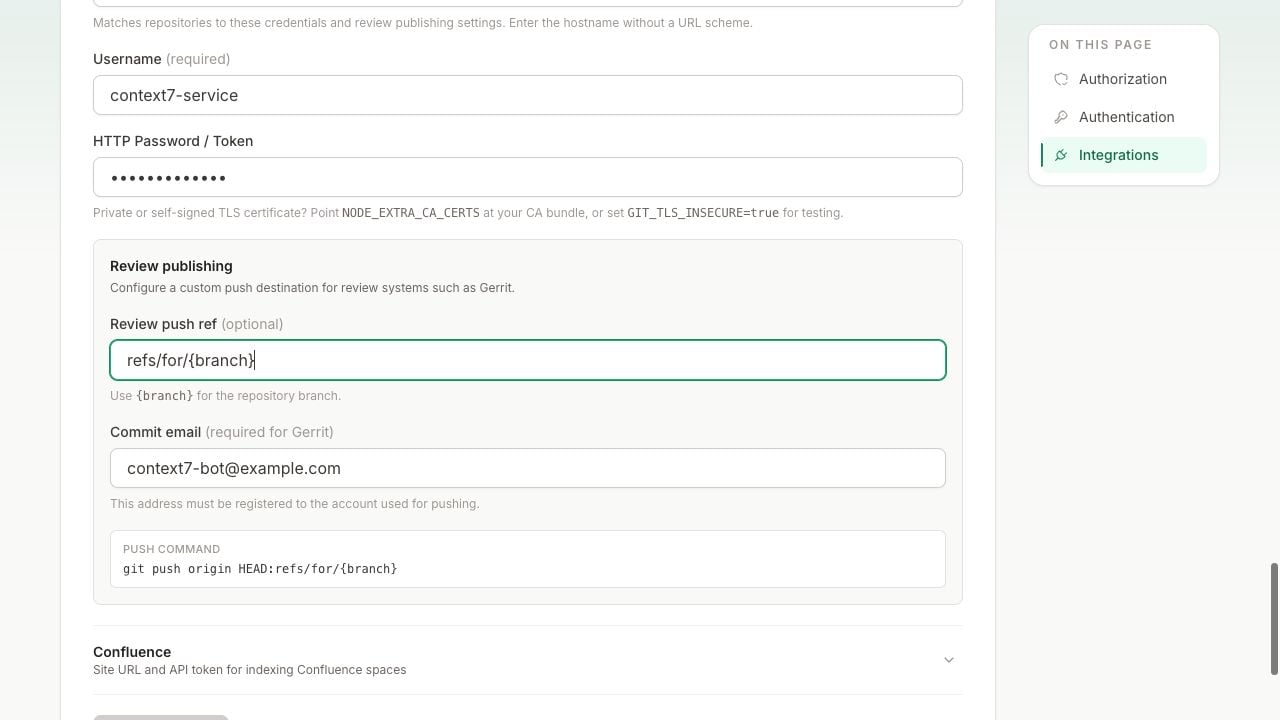
{branch} is replaced with the branch selected when you add the repository. For a repository on main, Context7 runs the equivalent of:Change-Id footer to each generated documentation commit.3
Add the repository
Open Add Repository, choose Other Git, and enter the normal Gerrit clone URL.or:
4
Choose how generated docs are handled
Enable Index source code to generate documentation from the codebase. Enable Submit generated docs for review if you also want Context7 to create a Gerrit change containing the generated files.Generated files are committed under 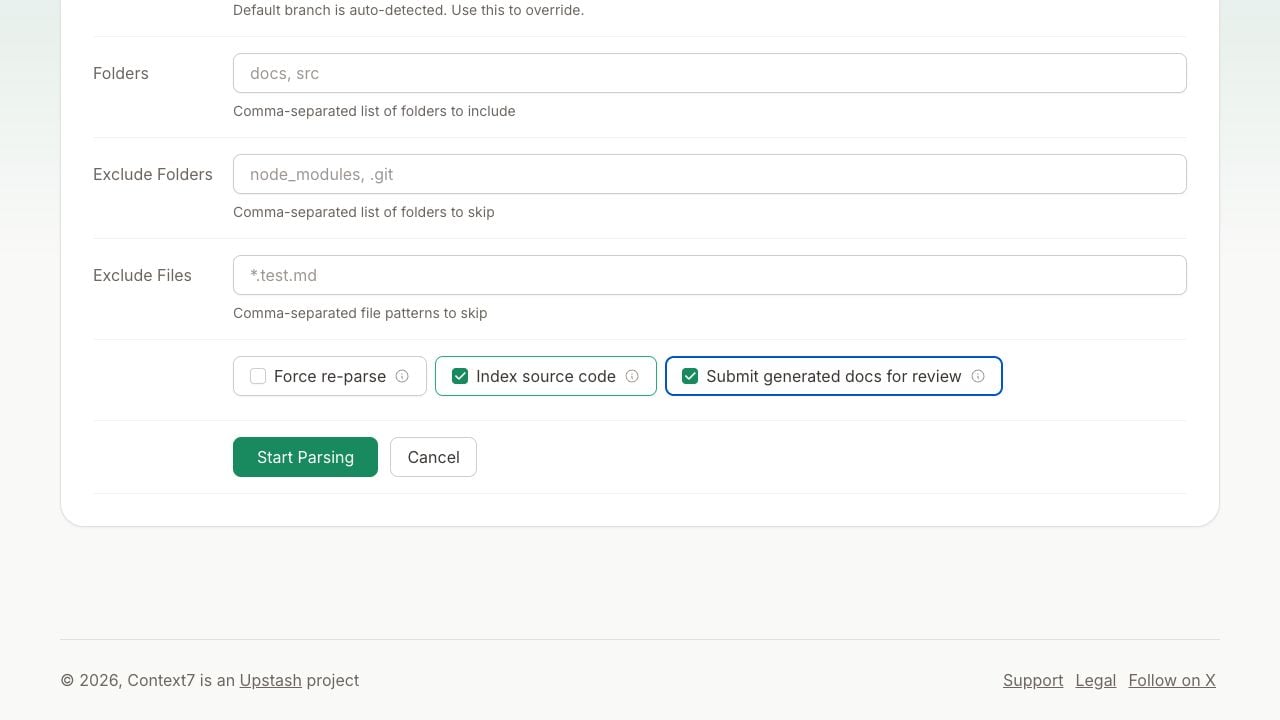
docs/codedocs/. If review submission is off, Context7 still indexes the generated documentation internally.Keep the index up to date
Context7 does not currently receive Gerrit events automatically. Trigger a refresh from your post-submit CI job, or run a scheduled job that checks for new commits and refreshes changed projects.Troubleshooting
Gerrit rejects the commit identity
Confirm that Commit email is registered and verified on the Gerrit account used to push. Gerrit may reject commits whose author email is not associated with that account.Push permission is denied
Grant the service account permission to create changes by pushing torefs/for/* for the target project and branch. Read-only repository access is enough for indexing, but not for review publishing.
SSH authentication fails
Confirm that the public key is registered to the service account and that the clone URL includes Gerrit’s SSH port, commonly29418. If host key verification fails, add the server’s known_hosts entry under Settings > Integrations > Other Git.